Good Reports - Further Notes
This is more for real-world tests than it is OSCP, however the methodology will still be applicable to OSCP in a lot of instances.
A good pentesting report will need to communicate findings in a structured methodological format. You're communicating this to two audiences.
Take inspiration from this reporting template:
https://www.sans.org/white-papers/33343
1 - Assessment overview covering how the assessment was planned, organized and orchestrated
- What guidelines/testing methodologies were used? (PTES, OWASP, Mitre, etc)
- Plan -> Discovery -> Attack -> Reporting
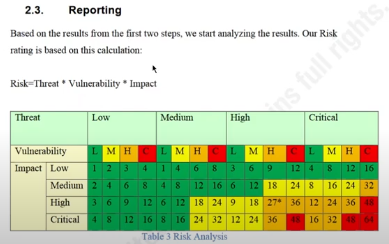
2 - Severity ratings explaining how the vulnerability severity is calculated and displayed. Ideally also colour coded. This is typically a CVSS score but CWE can also be useful for vulnerability categorisation and identification.
- May also want to include the CVSS score
3 - Risk factors
4 - Scope
- Clearly defined and agreed-upon scope with any exclusions
- Specific client allowances documented
- Time limits of when certain assets/infra can be tested
- What systems were tested? & What approach was used?
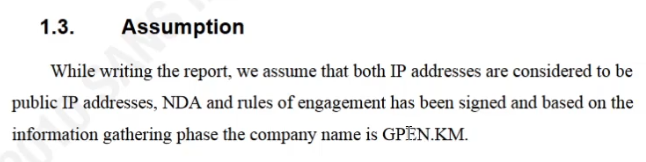
5 - Assumptions
- The rules-of-engagement document will be noted here as agreed upon.
- Statement of work (SOW) may also come up.
- DO NOT go out of the parameters set by ROE, SOW, NDA, scope for obvious reasons
6 - Executive summary with a report tailored for C-Suite/Executives.
- Covers what was performed and what was found
- Most executives reading this will have some kind of technical background, although it's likely some also wont.
- Highlights strengths and weaknesses, what did the company/client do right or wrong?
- Strengths are important. Documents that exclusively come back negative can leave a poor taste in the mouth per se, it's important to include a balance if possible.
- Summary - Final grade and report card
7 - Technical Findings
1. Description/Summary of a vulnerability or finding
2. Target system / IP / domain
3. Severity
4. Risk (likelihood, impact)
5. Tools used
6. References
7. Evidence (Screenshots, Tool output/reports, PoC - ensure the exploitation process is verifiable)
8. Remediation/patching
The Reporting Process
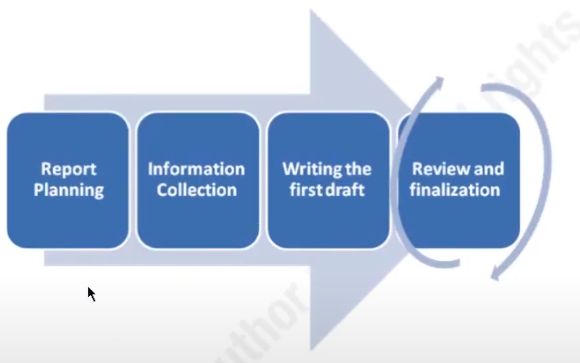
Review and finalisation is shown as being revised as multiple people may be involved in a report from both technical and administrative perspectives. Including senior pentesters/other higher-ups.
Security on this report needs to be tight for obvious reasons regarding the security posture of a company. Keep documents encrypted and stored securely.
Executive Summary
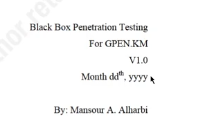
Front Page
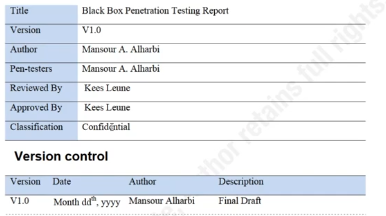
Include who produced the doc as well as when the document was approved (or sometimes when it was drafted)
Document Properties & Changelog
Document properties tend to include pentesters and whoever signed off on the approval process.
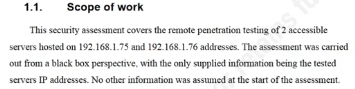
Scope
Remember it's worth keeping this simple, especially in the executive summary.
What was tested? What approach was used?
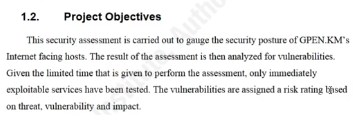
Project Objectives
What are the objectives of the assessment?
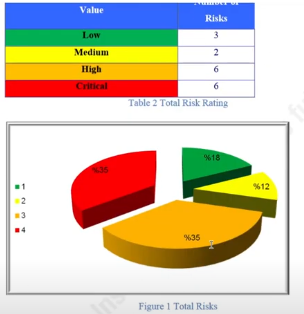
Summary of Findings
Colour code it, add some form of visualisation
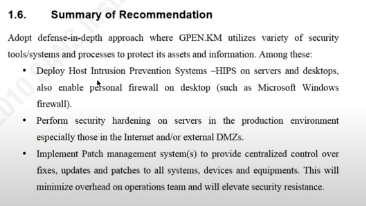
Summary of Recommendations
An executive is not going to go through all the recommendations on the report. This is why there's a summary!
Make it delegative, who would the executive talk to about what vulnerability and how can you converse this clearly in the document?
Methodology
Define this so they understand how your methodology works at an executive level.
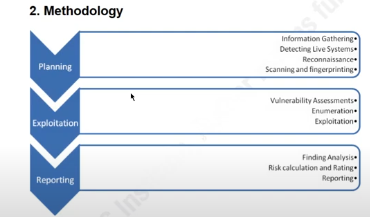
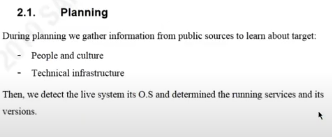
This is explained more thoroughly per-chapter
Some risk analysis using the threat * vulnerability * impact which everyone in cyber sec knows.
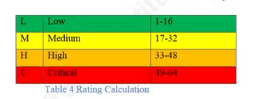
Individual Vulnerabilities
There'll be a header with a graph for each individual machine that's been reported on
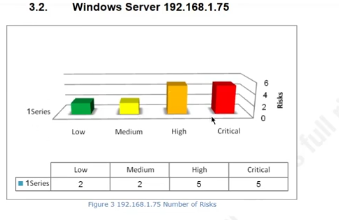
Each vuln has analysis and remediation, it should also have a CVSS score listed
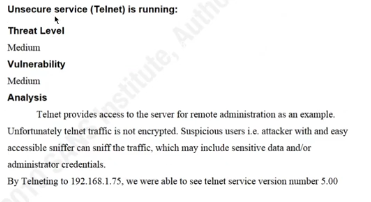
Tools used should be reported on and should also be removed after the test (from the target machines)
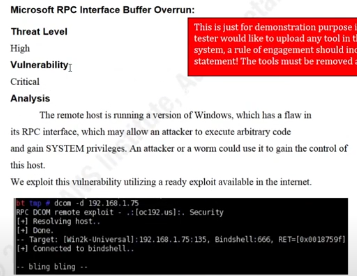
Sometimes it can be worth practicing some further exploitation, so that it's clear to the technical reader how potentially dangerous a vulnerability might be. I.e. the ability to download the SAM database, in this case:
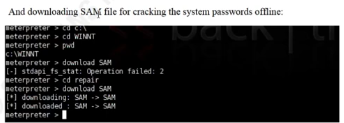
You'll see this in the mitre att&ck framework's impact section mainly 🔼
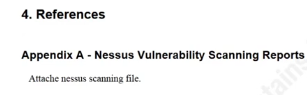
References
Include any relevant references